Vinted Sizing Change UK: The Complete Guide for Buyers and Sellers
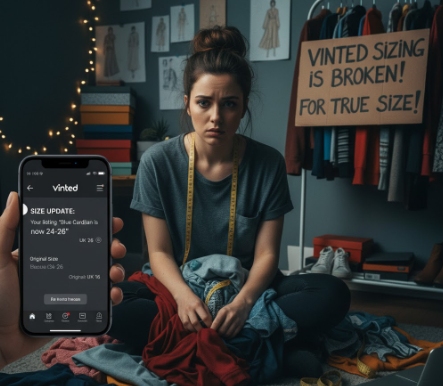
If you woke up on November 11th to find your Vinted store in chaos, you’re not alone. Thousands of UK users are finding their ‘Size 16’ items are now listed as ‘UK 24-26’.
Vinted has rolled out a platform-wide Vinted sizing change to its women’s and kids’ sizing system. This automatic update has gone wrong, incorrectly re-mapping thousands of existing listings and causing chaos for both buyers and sellers.
This is not just news; it’s a practical guide. We will explain exactly what changed, show you the technical reason your listings are wrong, and provide a step-by-step plan for both sellers (how to fix it) and buyers (how to find what you’re looking for).
What Is the New Vinted Sizing Change? (And Why Did It Happen?)
This update was intended to improve the Vinted marketplace. Instead, it has caused one of the biggest backlashes from users this year. Here’s what you need to know.
Vinted’s Official Reason: “International Accuracy”
Vinted’s official statement explains the goal was to “make sizing more accurate across international brands”. As reported by BBC News (Source 3.1), this means they have moved away from single UK sizes (like ‘M / 10’) to a “grouped size” system (like ‘M / 12-14’) that is more common on the continent.
The “Glitch” Explained: Why Your Listings Are Actually Wrong
The problem wasn’t the idea of grouping sizes. The problem was the execution.
Vinted’s automatic script didn’t just group sizes; it re-mapped existing listings based on their letter size (like XXL) instead of their number size (like 16). This technical flaw is the source of all the incorrect listings.
The Old vs. New Vinted Sizing Table (Women’s UK)
To see exactly what went wrong, look at the ‘before’ and ‘after’ for a common size. Vinted’s own help article Vinted Help Centre (Source 4.1)] shows the change.
The Vinted script simply matched the ‘Letter’ column, causing a massive error for UK sellers.
| Letter Size | Old UK Size (Before Nov 2025) | New UK Size (After Nov 2025) | The Problem (Example) |
| M | UK 10 | UK 12-14 | Your ‘Size 10′ item was re-mapped to ’12-14’. |
| L | UK 12 | UK 16-18 | Your ‘Size 12′ item was re-mapped to ’16-18’. |
| XL | UK 14 | UK 20-22 | Your ‘Size 14′ item was re-mapped to ’20-22’. |
| XXL | UK 16 | UK 24-26 | (The big one) Your ‘Size 16′ item was re-mapped to ’24-26’. |
| XXXL | UK 18 | UK 28-30 | Your ‘Size 18′ item was re-mapped to ’28-30’. |
As you can see, a seller’s item listed as XXL / 16 was automatically “updated” by the script to the new XXL category, which is now UK 24-26. This has created a nightmare for both sellers and buyers.
A Step-by-Step Guide for Vinted Sellers
Your listings are your responsibility. Here is how to fix the mess.
You Must Manually Check Your Listings (A Triage Plan)
My Pro-Tip: Do not wait for Vinted to fix this. I’ve already had messages from confused buyers on my own items. You must check your listings now to avoid bad feedback and returns.
For sellers with hundreds of items, this is overwhelming. Here is a simple triage plan:
- Prioritise: Check your most popular, valuable, or ‘liked’ items first.
- Filter: Focus on any items you listed as L, XL, XXL, or XXXL. These are the most likely to be wrong.
- Pause: If you are overwhelmed, put your shop on “Holiday Mode”. This hides your listings and gives you time to fix them without getting bad sales or messages.
How to Fix Your Vinted Listing Size
Here is the exact, step-by-step process to fix your incorrect listings. We recommend doing this on the app.
- Go to your Profile and tap “My items”.
- Tap the item you need to correct.
- Tap the three-dots (…) icon in the top-right corner.
- Select “Edit”.
- Scroll down to “Category” and “Size”.
- Re-select the correct new size category. For example, if your item is actually a UK 16, you must change the category from the incorrect
XXL / 24-26to the correctL / 16-18. - Press “Update” to save your listing.
Seller’s E-E-A-T Pro-Tip: How to Rebuild Trust and Avoid Returns
Just fixing the category is not enough. The trust in Vinted’s filters is broken. To protect yourself from “item not as described” disputes, you must do the following.
- Add the Tag Size to Your Description: Start the very first line of your description with:
NOTE: Actual tag size is UK 14. (Vinted’s new sizing is wrong).
- Add Measurements: Add pit-to-pit and length measurements to the description. This is the ultimate proof and stops 90% of sizing questions.
- Upload a Photo of the Tag: This is your best defence. Add a new photo to the listing that clearly shows the item’s size label.
A “How-to-Buy” Guide for Vinted Buyers
This Vinted sizing change has also broken the platform for buyers.
Why Your Search Filters Are Broken
If you use the filters to search for “Size 16”, you will miss all the items that are now incorrectly listed as “Size 24-26” or “Size 20-22”.
You are only seeing a fraction of the available items.
How to Actually Find Your Size Right Now
Until this is fixed, you must change how you shop. Do not trust the size filters.
- Tip 1: Ignore the Size Filter. Search by brand and keyword instead. For example, search “Zara dress 14” or “River Island jeans 16”. This will search the text in the listing’s description, not the broken category.
- Tip 2: Message the Seller. Before you buy anything, send a simple message:
“Hi, just confirming the actual UK size on the tag? I know the new Vinted update is causing issues!”
- Tip 3: Look for Clues. Only buy from listings that show clear photos of the tag or have measurements in the description. If a seller hasn’t provided these, be cautious.
The Other Big Problem: What About Kids’ Sizing?
The backlash has focused on women’s wear, but Vinted’s official statement [External Link: Vinted Help Centre (Source 4.1)] confirms the update also applies to kids’ clothing.
The same “grouping” and “re-mapping” logic has been applied, meaning items listed by age range (e.g., ‘Age 10-12′) may now be in the wrong category.
Sellers must check their children’s items with the same urgency. Buyers should message the seller to confirm the label size before purchasing any kids’ wear.
Final Thoughts
The new Vinted sizing change, intended to help with international sales, has caused a major technical glitch by incorrectly re-listing items. This has broken the platform for both buying and selling.
As sellers, the burden is now on us to fix this. Taking 30 minutes to audit your most valuable listings and update your descriptions with tag photos will save you hours of dealing with returns, bad reviews, and lost sales.
Share this guide with your Vinted-loving friends. And for sellers, our best advice is to go check your listings right now.
FAQs
Why did Vinted change its sizing in November 2025?
Vinted’s official reason is to make sizing more “accurate and consistent” for international brands, as reported by outlets like the BBC News (Source 3.1). They have moved from single sizes (e.g., M/10) to grouped sizes (e.g., M/12-14).
What are the new Vinted sizes?
The new system groups sizes. For example, ‘Medium’ is now ‘UK 12-14’ and ‘Large’ is ‘UK 16-18’. The biggest issue is that ‘XXL’, which used to be ‘UK 16’ on Vinted, is now ‘UK 24-26’ according to the new system Vinted Help Centre (Source 4.1).
Why are my Vinted listings showing the wrong size?
Vinted ran an automatic script that re-mapped your items based on their letter size, not their number size. So your item listed as XXL / 16 was “updated” to the new XXL category, which is UK 24-26.
Do I have to manually update all my Vinted listings?
Yes. Vinted’s own Help Centre advises sellers to “Please review your listings”. You must go into each listing, tap “Edit,” and manually select the correct new size category.
How do I fix my listings on Vinted after the update?
Go to your listing, tap the three dots, and select “Edit.” Tap “Size” and choose the correct new grouped size. We also strongly recommend adding the actual tag size and measurements to the text description.
How do I search for my size on Vinted now as a buyer?
Do not trust the size filters. The best way is to search by brand and keyword (e.g., “New Look dress 14”) and message the seller to confirm the tag size before you buy.
Did the Vinted sizing change affect kids’ clothes?
Yes. Vinted’s official statement confirms the update applies to both women’s and kids’ clothing. Sellers should check these listings as well, as they may be incorrectly grouped.
How do I complain to Vinted about the sizing change?
You can contact Vinted’s customer support through the Help Centre in the app. However, the fastest solution for your store is to manually edit your listings using the guide above.
About the Author