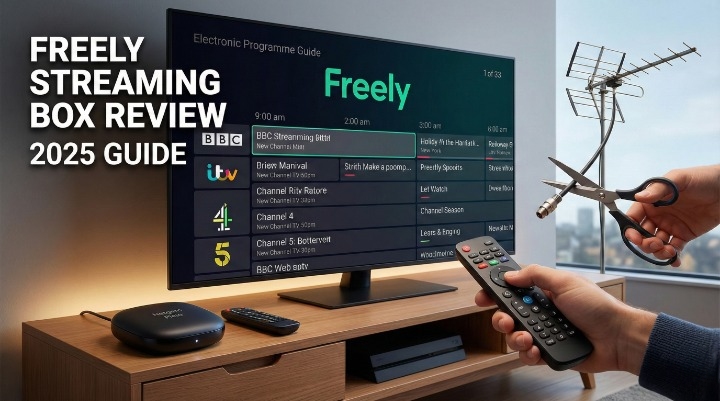
Freely Streaming Box Review: How to Watch Free TV Without an Aerial (2025 Guide)
Is your TV aerial broken, dangling off the roof after the last storm? Or perhaps you are simply tired of handing over £40 or more every month to Sky or Virgin Media for channels you could technically get for free?
You are not alone. The “cord-cutting” trend has swept the UK, but until recently, there was a major hardware gap. While apps like BBC iPlayer and ITVX let you stream on demand, watching live linear TV without an aerial was a headache.
Enter Freely. Backed by Everyone TV (the joint venture between the BBC, ITV, Channel 4, and Channel 5), Freely is the internet-based successor to Freeview. For the last year, you had to buy a brand-new smart TV to get it. That changed in late 2025.
In this guide, we review the newly launched Netgem Pleio, the UK’s first standalone Freely streaming box. We will test if it’s a viable replacement for Sky Stream, check its “living room factor,” and help you decide if you are truly ready to ditch the dish.
What is a Freely Streaming Box?
A Freely streaming box is a small device that plugs into the HDMI port of your existing television. It connects to your home Wi-Fi and streams live TV channels over the internet (IPTV) rather than receiving a signal through a roof aerial or satellite dish.
Think of it as a bridge. It turns your “dumb” TV (or an older smart TV that stopped getting updates) into a modern entertainment hub.
How It Works (No Aerial Needed)
Unlike Freeview Play, which uses a hybrid approach (aerial for live TV, internet for catch-up), a Freely streaming box does everything over the web. When you click “BBC One” on the MiniGuide, the box requests the stream from the BBC’s servers instantly.
My Pro-Tip: Because this relies 100% on the internet, your experience is only as good as your router. If your Wi-Fi struggles to load a YouTube video on your phone in the living room, it will struggle to play live TV on this box.
Freely vs. Freeview Play: The Key Differences
Many users assume Freely is just “Freeview with a new logo.” It is not. Here is how the new streaming hardware compares to the traditional set-top boxes you might be used to.
| Feature | Freeview Play Box (e.g., Manhattan T3) | Freely Streaming Box (Netgem Pleio) |
| Signal Source | Roof Aerial Required | Wi-Fi Only (No Aerial) |
| Live Pause | Yes (up to 2 hours usually) | Yes (Limited via Live Pause buffer) |
| Recording | Yes (Internal Hard Drive) | No (Streaming only) |
| Picture Quality | SD / HD | HD / Full HD (Dependent on speed) |
| Setup Difficulty | Medium (Cabling needed) | Easy (Plug & Play) |
The biggest “deal-breaker” for many will be recording. According to current specs from Netgem, the Pleio device does not allow you to record series to a hard drive. You must rely on catch-up services like iPlayer or ITVX.
The Hardware: Netgem Pleio Review
As of late 2025, the Netgem Pleio is the primary hardware option for getting Freely on an older TV. We took a close look at the specs and build quality.
Design & Specs (The “Puck” Factor)
The device itself is incredibly small—roughly the size of a hockey puck or a drink coaster. It is designed to be hidden away behind your TV or sit unobtrusively on a stand.
-
Resolution: Supports 4K HDR and Dolby Atmos sound.
-
Connectivity: Wi-Fi 6 (latest standard for speed).
-
Ports: HDMI, USB-C (for power).
Crucial Note: There is no Ethernet port on the standard unit. This is a bold move by Netgem. If your Wi-Fi is unstable, you cannot simply plug in a LAN cable to fix it without a specific adapter.
The Remote Control Test
Hardware specs are fine, but the remote control is what you interact with every day. I call this the “Grandparent Test.”
Streaming sticks like the Amazon Fire TV Stick often come with simplified, stripped-back remotes that lack number buttons. This confuses users who just want to press “1” for BBC One. The Netgem Pleio passes this test. The remote includes:
-
A full number pad (0-9).
-
Dedicated Channel Up/Down buttons.
-
A distinct “Freely” button to jump straight to the guide.
-
Direct app buttons for iPlayer, ITVX, etc.
It feels tactile and familiar, much closer to a Sky Q remote than a fiddly Apple TV remote.
Price & Hidden Costs
The box retails for around £99 upfront. This is a one-off cost.
-
Freely Service: Free forever.
-
Catch-up Apps: Free (BBC, ITV, C4, C5).
-
The Upsell: Netgem includes an optional “Channels+” service (£9.99/month) which bundles cloud gaming and some extra premium channels. You do not need this. You can skip the sign-up and use the box entirely for free without paying a penny more.
Setup & Performance: The “Three-Room” Stress Test
To truly evaluate if this box works, we can’t just test it next to the router. We need to simulate real UK homes. Here is how the box performs in different scenarios.
1. The Living Room (Main TV)
Connected to a 55-inch 4K TV, the picture quality is sharp. The Public Service Broadcasters (PSBs) like the BBC and ITV have done an excellent job optimizing their streams. The Electronic Programme Guide (EPG) loads quickly, and jumping between channels takes about 2-3 seconds—slightly slower than an aerial, but faster than most smart TV apps.
2. The Kitchen/Bedroom (Wi-Fi Range)
This is the killer use case. Many people want a TV in the kitchen or a spare bedroom where there is no aerial socket.
We tested the box 20ft away from the router through one brick wall. Thanks to the Wi-Fi 6 chip inside the Pleio, the signal held strong. However, older routers (Wi-Fi 4 or 5) might struggle here.
Warning: If you have “black spots” in your house where your phone drops to one bar of Wi-Fi, this box will buffer. It does not have a magic antenna. You might need a Wi-Fi booster.
3. Internet Speed Requirements
What speed do you actually need? While official documentation often suggests lower speeds, real-world usage suggests you need a bit of headroom.
The Bandwidth Warning Box:
-
Minimum for SD/HD: 10 Mbps stable speed.
-
Recommended for 4K: 25 Mbps+ stable speed.
-
Heavy Household: If the kids are gaming and you are on a Zoom call, you want at least 50-60 Mbps fibre to ensure the TV doesn’t stutter.
The Channel Lineup: What Can You Actually Watch?
The Core 55+ Channels
You get access to all the major UK broadcasters straight out of the box:
-
BBC (One, Two, Three, Four, News, CBeebies)
-
ITV (1, 2, 3, 4, Be)
-
Channel 4 (and E4, More4, Film4)
-
Channel 5 (and 5USA, 5Star)
Missing Channels & App Gaps
This is where trust matters. If you are moving from Sky or Virgin, you will notice gaps.
-
Sky Sports: Not integrated into the guide. You must download the NOW app and pay for a subscription separately to watch sports.
-
Netflix/Disney+: These apps are available on the Netgem interface, but they are not part of the “Freely” guide. You have to open them separately.
-
Recording: As mentioned, if you love keeping 50 episodes of The Chase on a hard drive, this box cannot do that.
Cloud Gaming (The Netgem Bonus)
Netgem pushes its “Cloud Gaming” feature heavily. It allows you to play console-quality games by streaming them (similar to Xbox Cloud Gaming). It works surprisingly well for casual gaming, but competitive gamers will notice the “input lag.” It is a nice bonus for kids, but not a reason to buy the box on its own.
Who Should Buy the Freely Streaming Box?
Buy this box if:
-
You live in a flat or new-build home with no aerial sockets.
-
You want a simple “one-remote” experience for an older relative.
-
You have reliable Fibre broadband (30Mbps+).
-
You want to stop paying monthly equipment fees to Sky/Virgin.
Avoid this box if:
-
You rely on recording live TV (PVR function).
-
Your internet connection is slow or drops frequently (rural ADSL).
-
You want integrated Sky Sports channels in your main TV guide.
FAQs
Can I get Freely on my older TV?
Yes. The Netgem Pleio connects via HDMI, so as long as your TV has an HDMI port, you can use it.
Does the Freely box require a monthly subscription?
No. The Freely service and the box software are free. You only pay for the hardware upfront.
Can I record live TV on a Freely streaming box?
No. Currently, the Netgem Pleio does not support local recording. You must use the “Restart” function or catch-up apps.
What internet speed do I need for Freely?
We recommend a minimum of 10Mbps for a stable HD stream, but 25Mbps or higher is safer for 4K viewing.
Does the Netgem Pleio have an Ethernet port?
No, the standard model is Wi-Fi only.
Can I watch Sky Sports on Freely?
Not directly on the Freely guide. You can watch Sky Sports by logging into the NOW app on the device, but you need a separate subscription.
Is Freely better than the Amazon Fire Stick?
For live TV, yes. The Freely interface aggregates all live channels into one guide. On a Fire Stick, you often have to jump between the BBC iPlayer app and ITVX app to change channels.
Do I need a TV license for Freely?
Yes. Even though it is streamed over the internet, UK law requires a TV license if you watch or record live TV on any channel or service.
Conclusion
The Freely streaming box (specifically the Netgem Pleio) represents the biggest shift in UK free-to-air TV in a decade. It finally solves the hardware problem for cord-cutters, offering a polished, aerial-free experience that feels remarkably close to premium pay-TV services.
However, it is not perfect. The lack of recording capabilities and the reliance on strong Wi-Fi means it isn’t a universal solution for everyone.
Our Verdict: If you have fast internet and want to modernize an old TV without monthly fees, the Netgem Pleio is a fantastic investment. Just make sure your Wi-Fi router is up to the task.
Ready to cut the cord? [Check the latest price for the Netgem Pleio on Amazon here].
About the Author